SEE WHAT YOU CAN MAKE
A closer look at PCA3D.
Explore real editor and gameplay screenshots from the itch.io page and the manual screenshot collection. Open any image to see the details.
1,127distinct screenshots
Scene building, interfaces, scripting, cinematics and the details in between. Repeated images share one entry, with their guide and page references kept together.
Explore the features1,127 screenshots · 241–264

Use allows on as a separator between the first and second targets.
View source
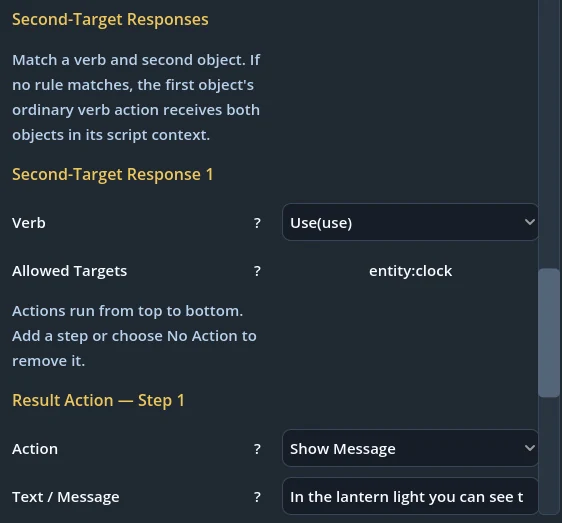
The response is authored on the lantern, with Workshop Clock as the allowed second target.
View source
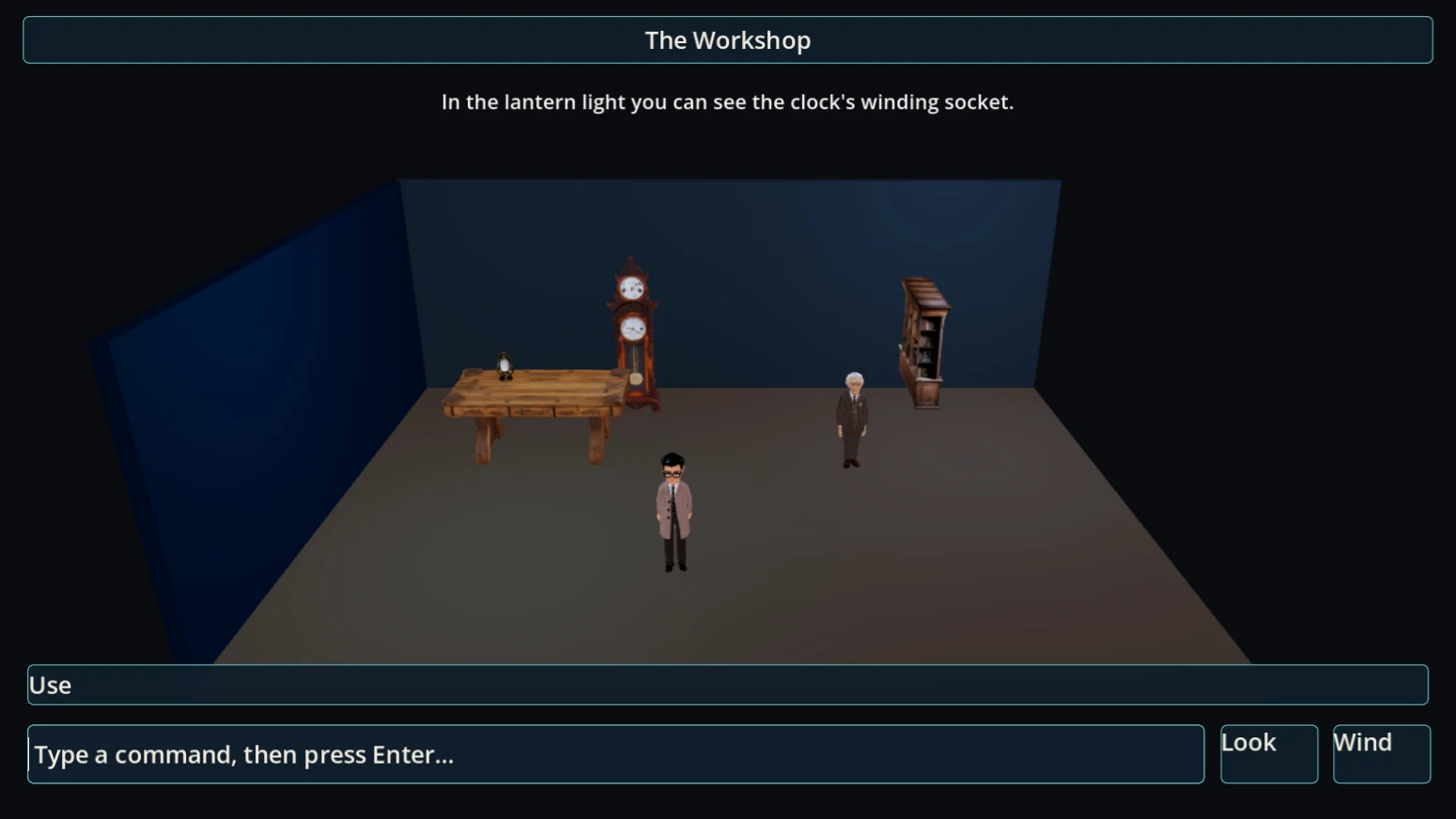
The two-object sentence reaches the lantern's response for the clock.
View source
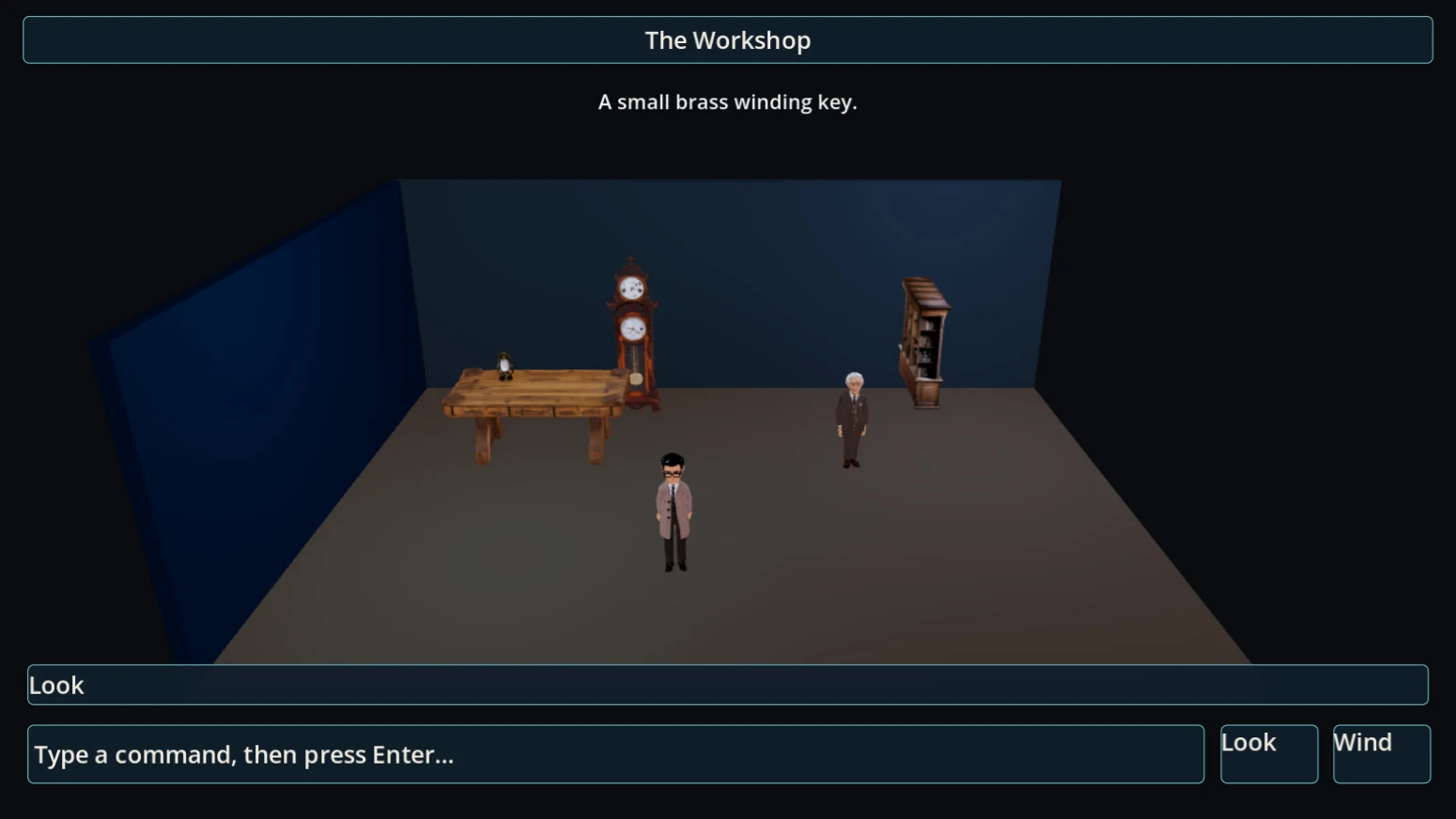
The carried key's Look response is reached by typed input in the example's Verb Single Click mode.
View source
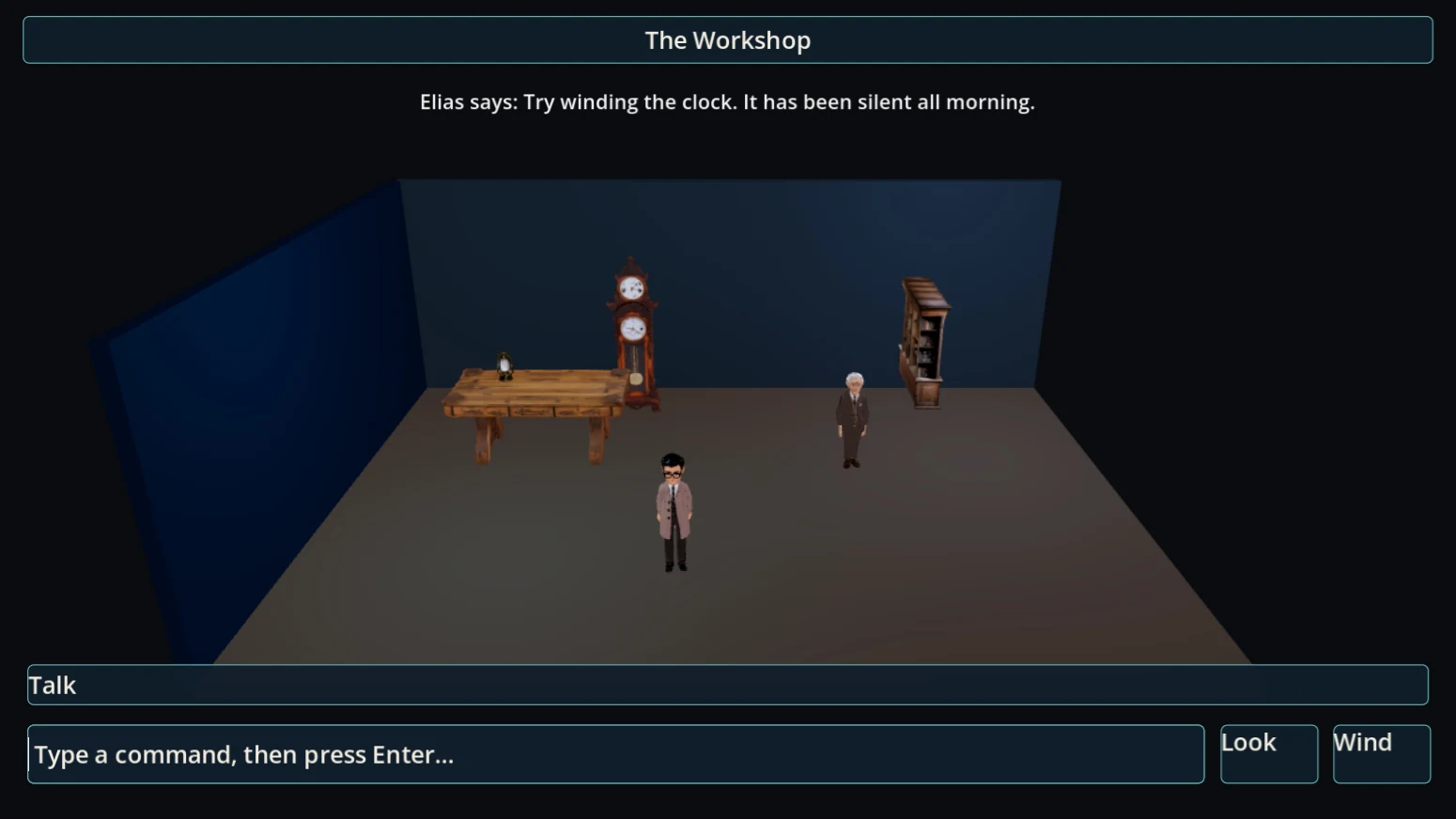
Talk to Elias reaches his Talk actions.
View source
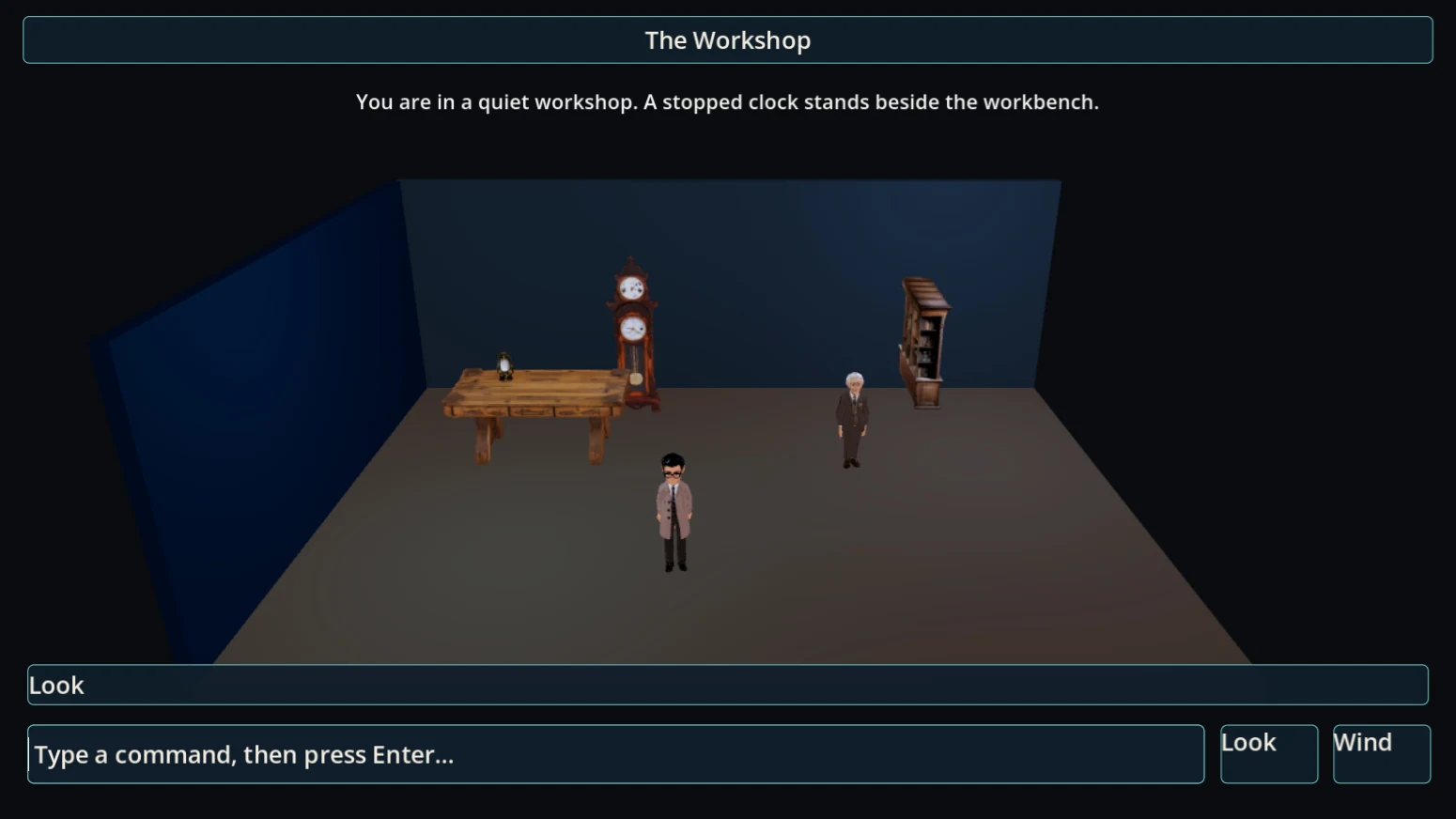
Bare look reads the room description rather than the clock's Look response.
View source
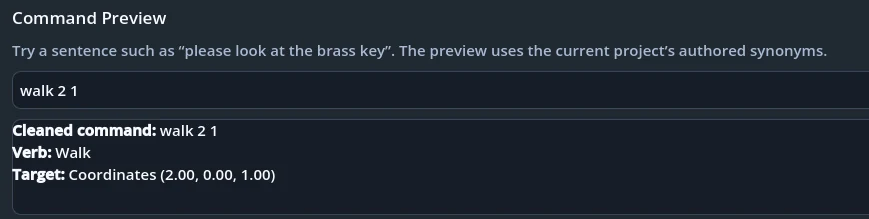
The ordinary preview can identify a numeric destination when no named target matches.
View source
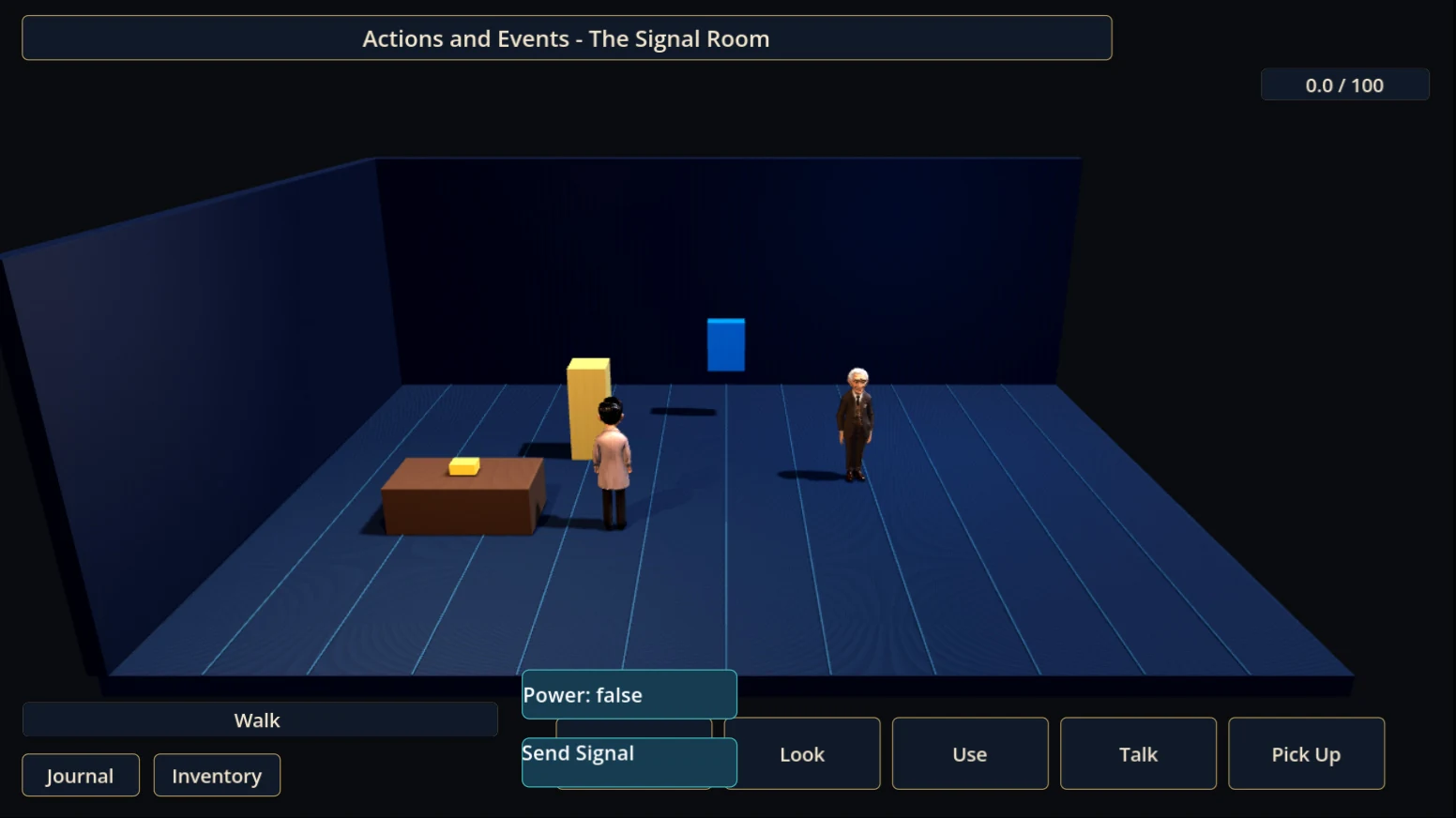
The Signal Room, running in the editor.
View source
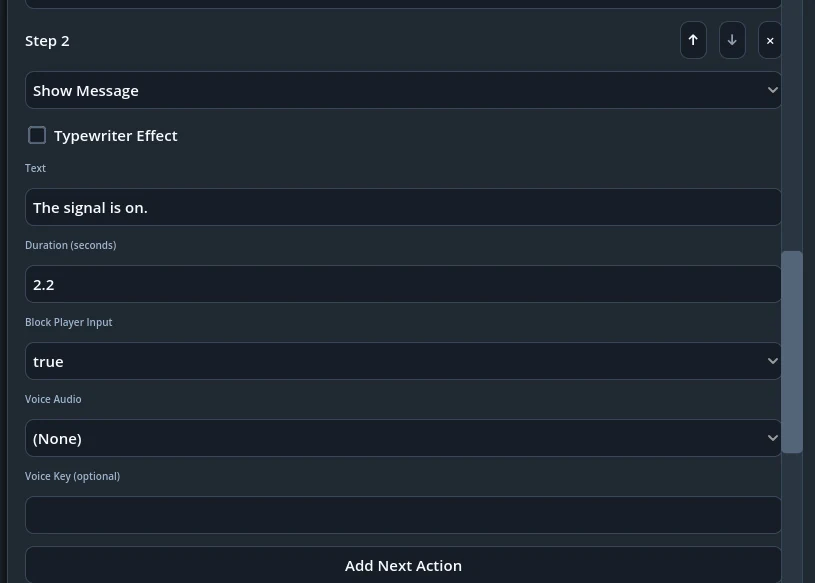
A shared sequence row: action picker, fields, move arrows, remove button and Add Next Action.
View source
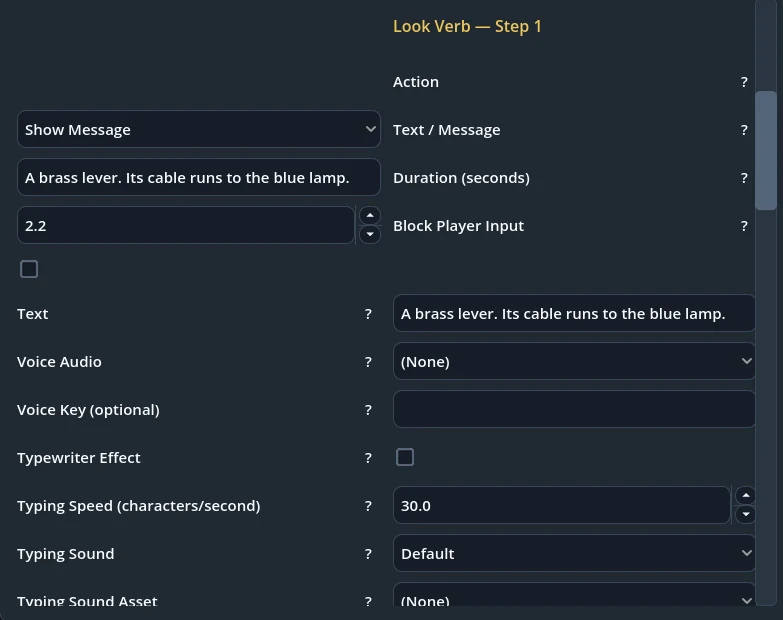
Look uses a Show Message action with the observation and its duration.
View source
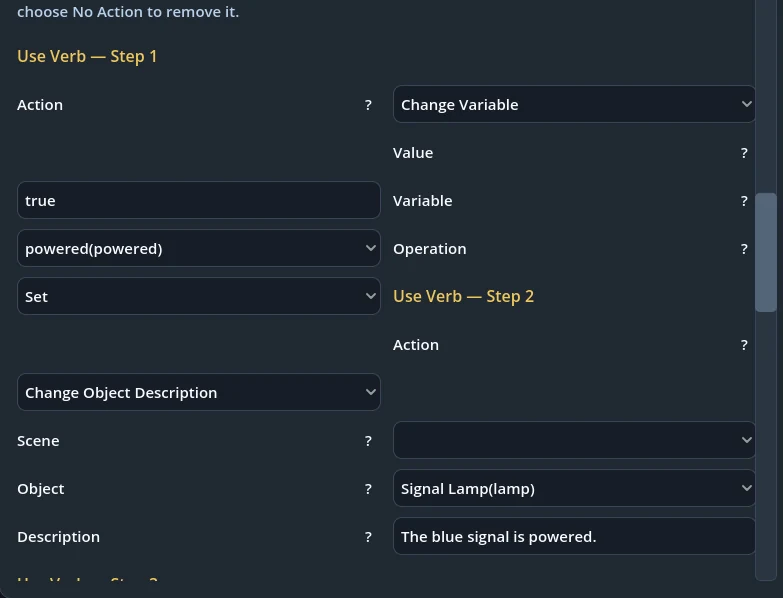
The native inspector uses Change Variable with Set to assign the powered flag.
View source
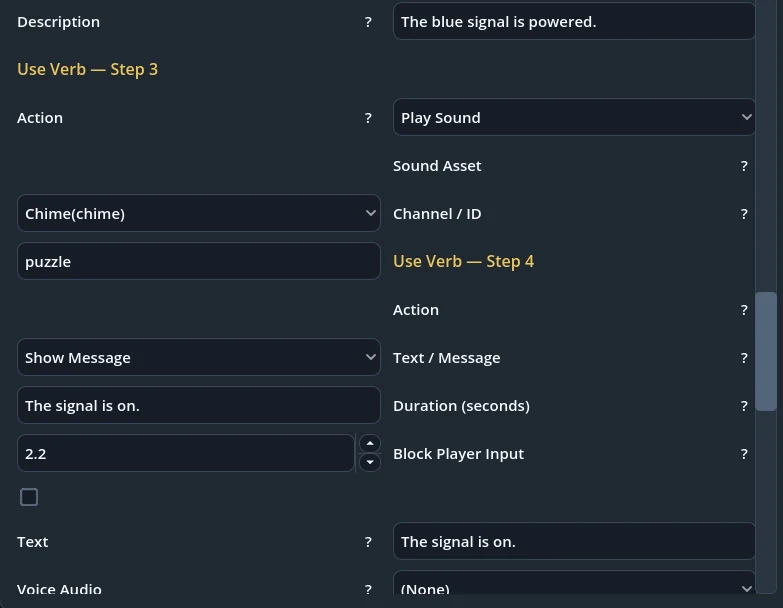
A later Use step starts a sound effect on the named puzzle channel.
View source
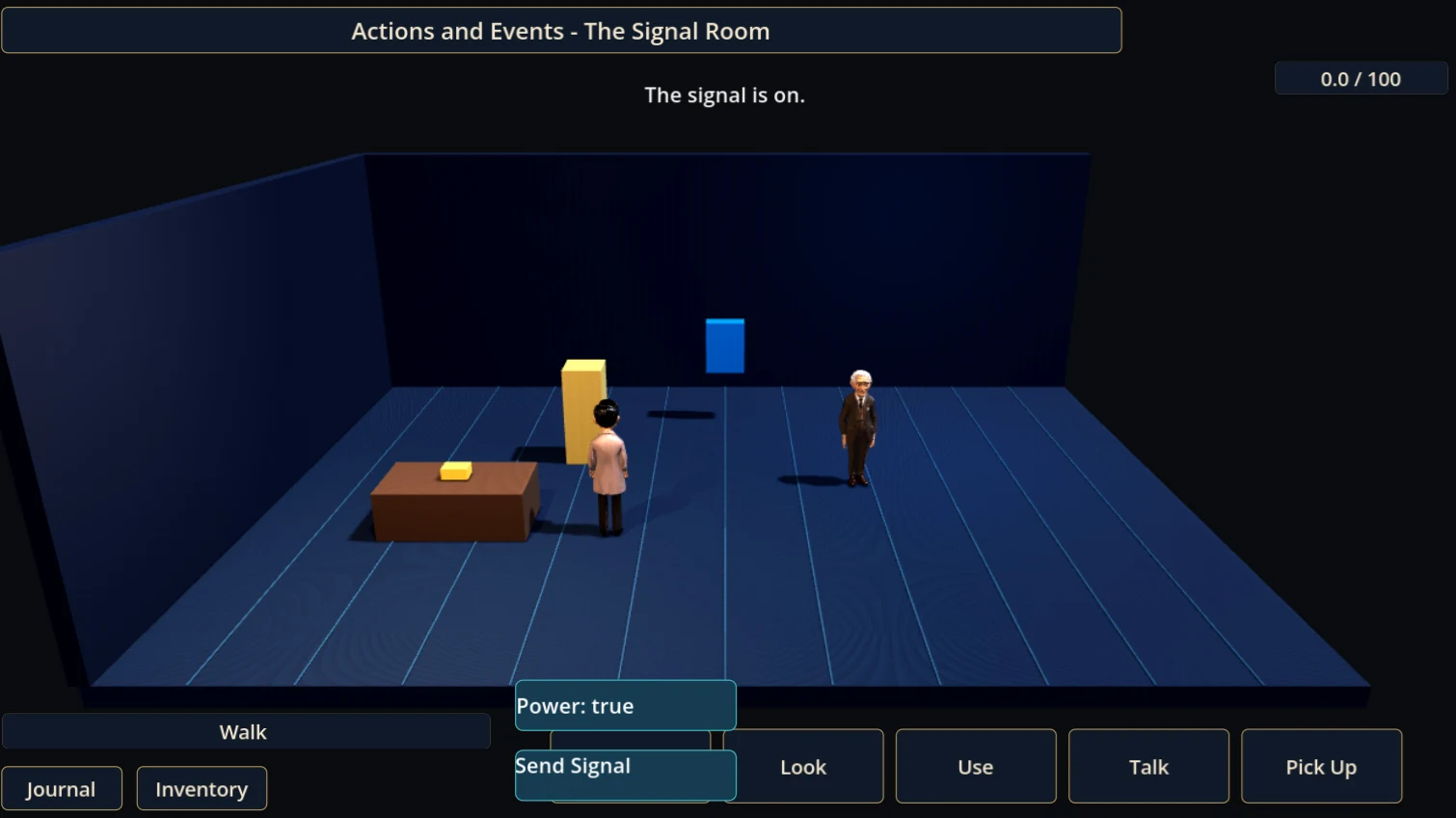
The same signal message displayed by the running GUI event route later in the guide.
View source
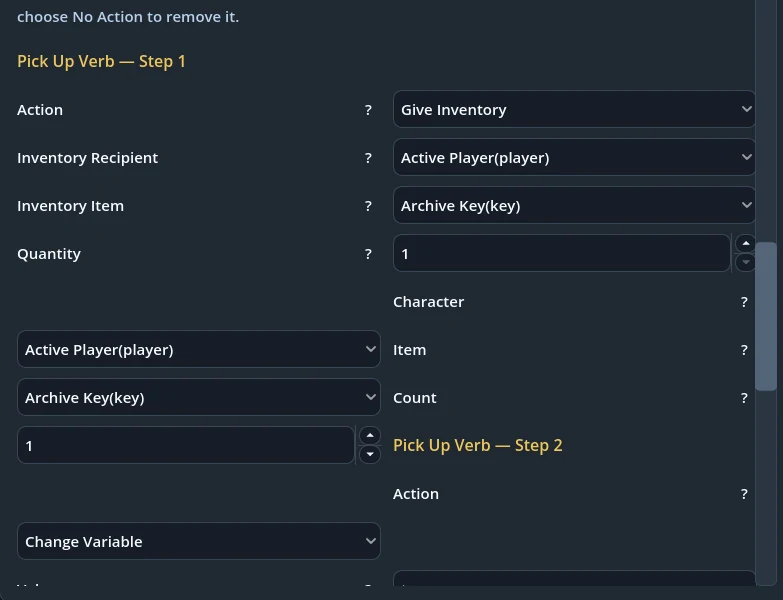
Give Inventory appears in the native Take response.
View source
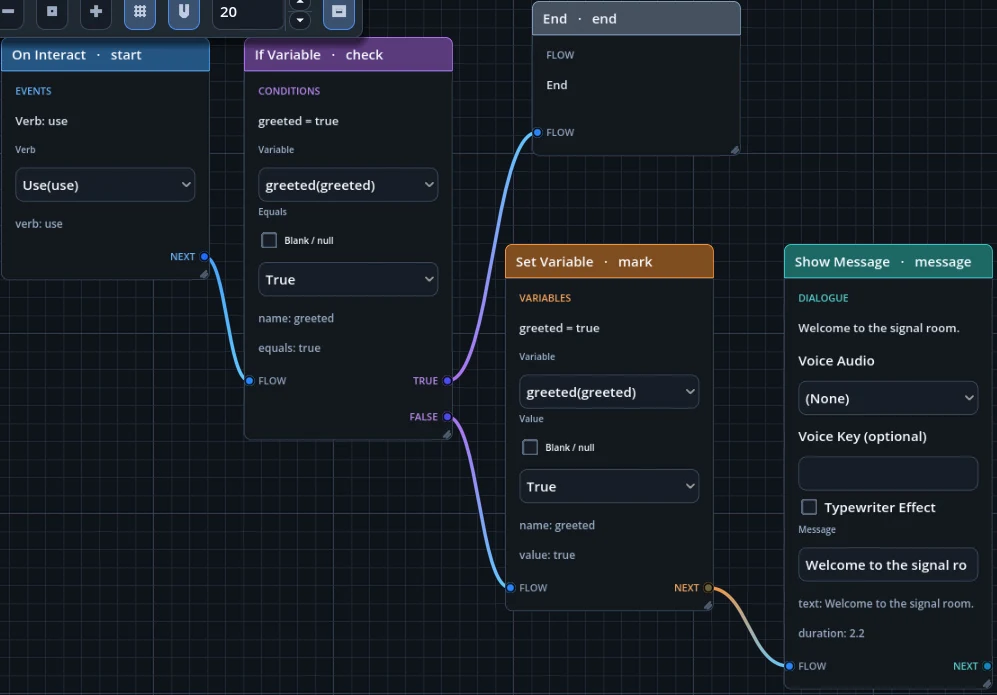
The True path ends; the False path marks the flag before showing the greeting.
View source
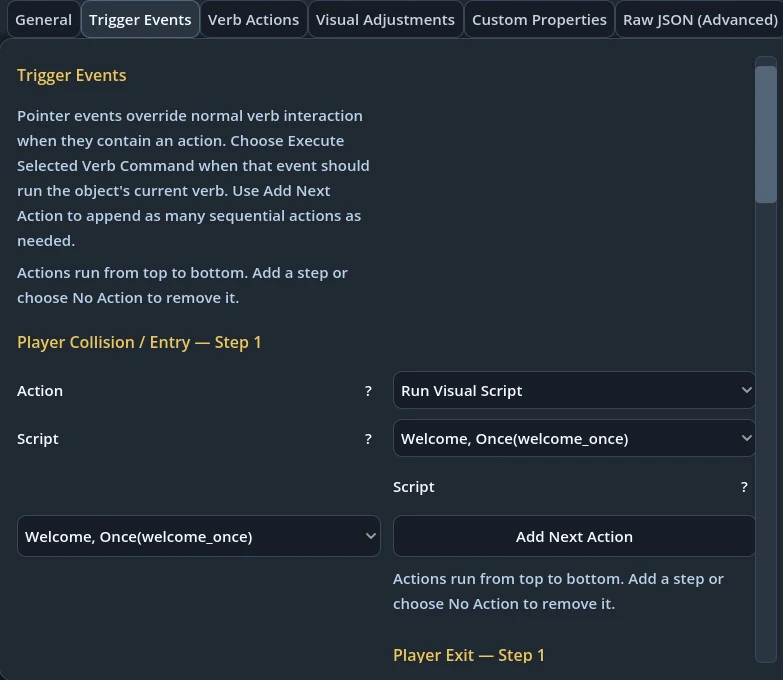
Player Collision / Entry calls the selected reusable script.
View source
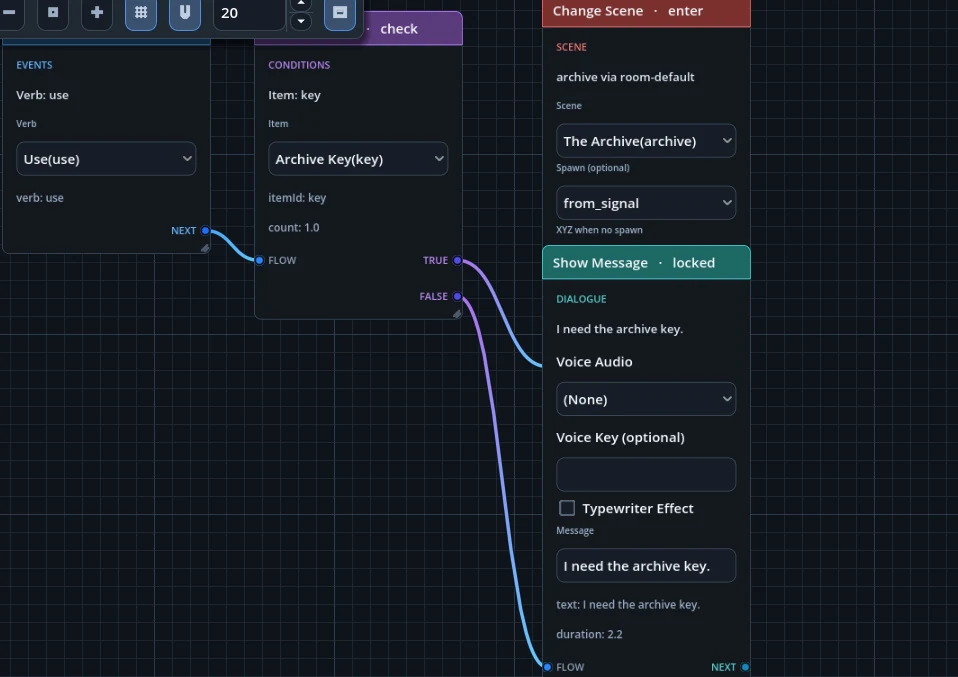
The inventory condition separates a useful failure response from the successful room change.
View source
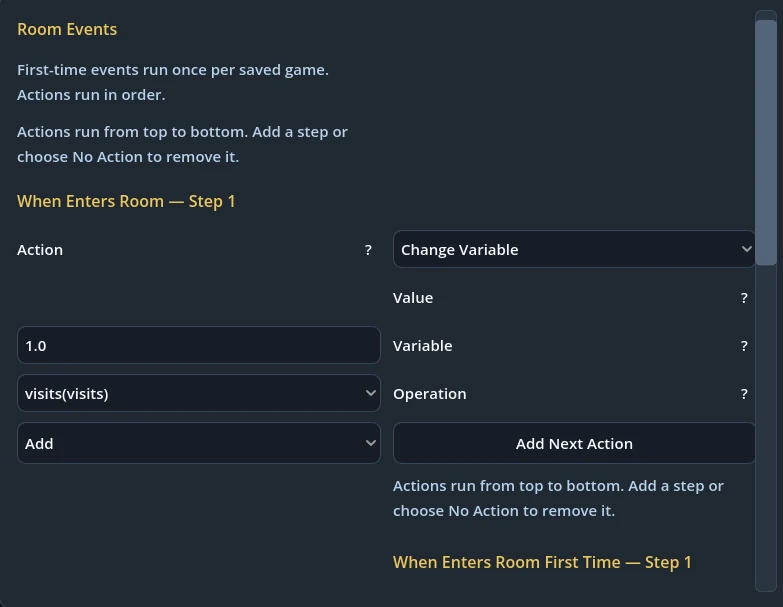
Room Events uses the same ordered native action fields as object responses.
View source
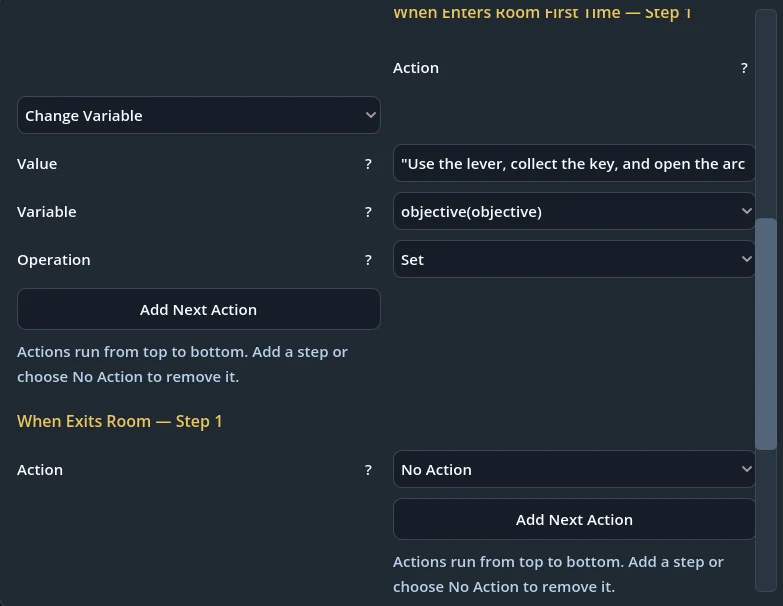
Use the first-entry list for the introduction or initial room objective.
View source
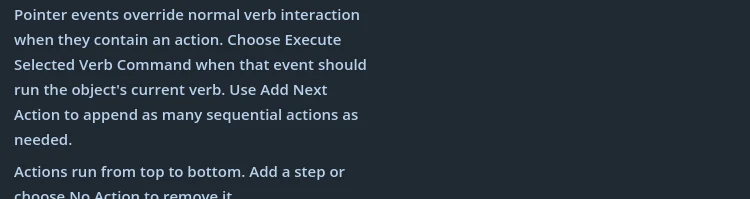
The editor explains the override at the top of Object Events.
View source
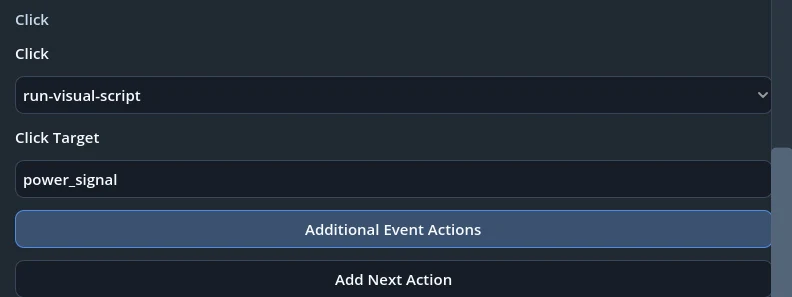
The convenience script behavior uses Click Target to identify the script.
View source
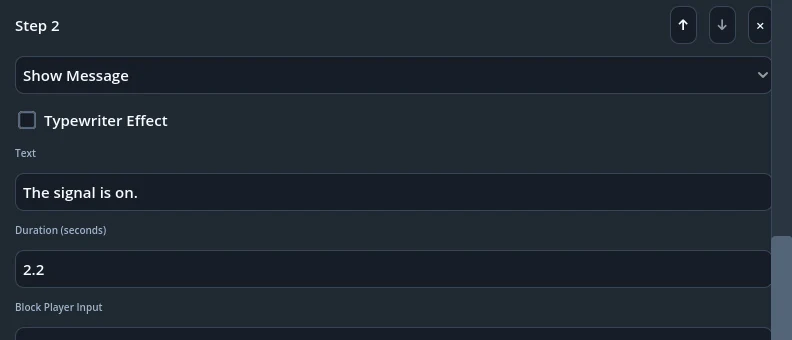
An existing valid additional list: its second row displays a message.
View source
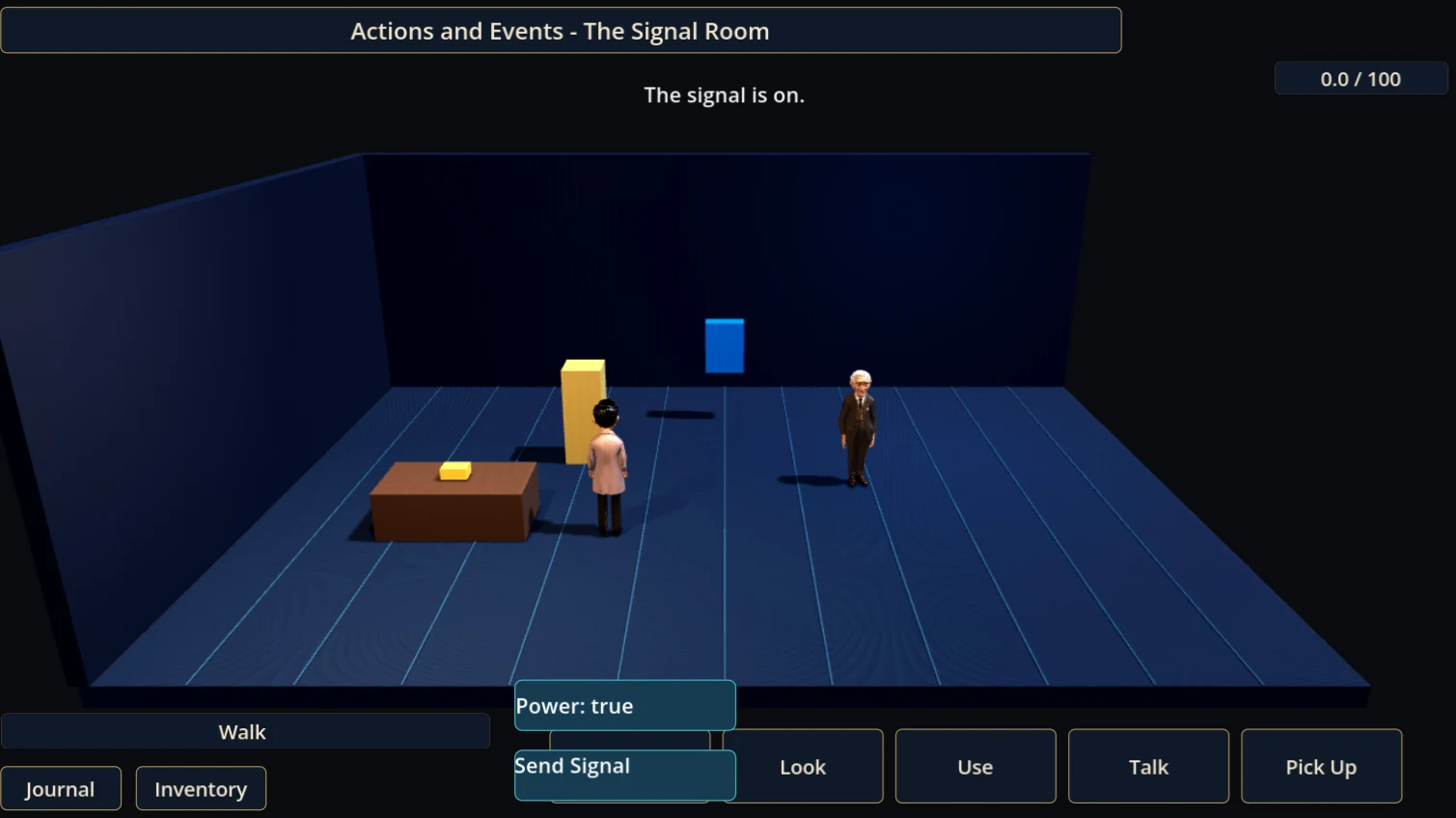
The running event has set Power to true and displayed its confirmation.
View source